TikTok has over a billion active users, and the gap between creators who grow and those who stall often comes down to one thing: how efficiently they produce content.
Editing is where most people lose time. A tool that works against your workflow, slow exports, no vertical format support, clunky mobile experience, will quietly kill your consistency. And on TikTok, consistency is everything.
This guide covers the best TikTok video editors across PC, mobile, and browser, so you can pick what actually fits how you work.
What to Look for in a TikTok Video Editor
Not every video editor is built with TikTok in mind. Here’s what separates a genuinely useful one from a generic editor you’ll abandon after a week.
Vertical format (9:16) support. This should be a given, but many desktop editors still treat vertical video as an afterthought. Your editor should handle 9:16 natively, not force you to manually resize or crop after the fact.
Speed. TikTok trends have a shelf life of days, sometimes hours. If your editing pipeline takes two hours per video, you’re not going to post enough to grow. The faster you can move from raw idea to finished video, the better.
Captions and subtitles. A large portion of TikTok is watched on mute. Auto-captioning isn’t optional anymore, it’s a baseline feature any competitive editor should offer.
AI tools. Script generation, voiceovers, auto-editing, AI has genuinely changed what’s possible for solo creators. Tools that offer these features let one person do what used to require a small team.
Cross-device usability. If you shoot on your phone and edit on your laptop, your editor needs to work well on both without forcing you to start over.
Best TikTok Video Editors for PC
DaVinci Resolve (Free)
DaVinci Resolve is the gold standard for color grading and audio mixing. It’s completely free for the core version, and the quality ceiling is as high as any professional tool on the market.
The tradeoff is the learning curve. It’s a complex piece of software built for film and broadcast editors. If you’re trying to turn around three TikToks a week, the time investment to learn Resolve properly may not be worth it, unless you’re already committed to high-production content.
Best for: Creators who prioritize visual quality and are willing to invest time learning the software.
CapCut for Desktop (Free)
CapCut is purpose-built for short-form content, and it shows. The interface is clean, the templates are TikTok-aware, and it supports vertical video out of the box. Auto-captions, trending transitions, and background removal are all built in.
It’s the most beginner-friendly desktop option, and since it’s free with no meaningful paywalls on core features, there’s very little reason not to at least try it.
Best for: Beginners and casual creators who want a straightforward, TikTok-focused editor without paying anything.
Adobe Premiere Pro (Paid)
Premiere Pro is the industry standard for a reason. If you’re already inside the Adobe ecosystem, using Photoshop, After Effects, or Audition, the integration alone makes it valuable. The AI-powered tools added in recent versions (auto-reframe, speech-to-text captioning, generative extend) genuinely speed up the workflow.
The catch is cost. At around $55/month as a standalone, it’s hard to justify purely for TikTok unless video is a serious part of your income or business.
Best for: Professional creators and marketers already using Adobe tools who want one unified workflow.
Best TikTok Video Editor for Browser
Browser-based editors have improved dramatically. For creators who work across multiple devices or don’t want to install software, they’re now a legitimate option rather than a compromise.
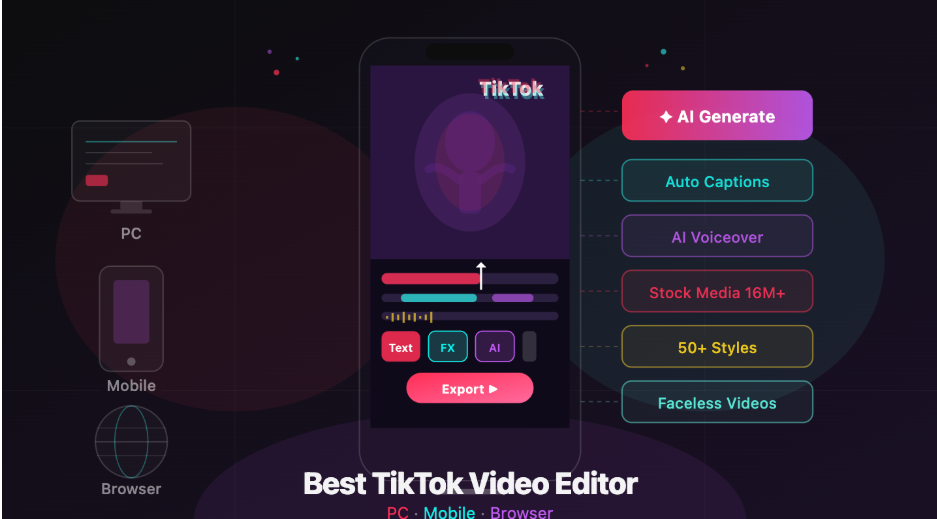
Invideo is the strongest browser-based option for TikTok specifically. The key differentiator is its AI TikTok video generator, you input a prompt describing your video idea, and it generates a complete video with script, visuals, voiceover, subtitles, and music. Edits happen through a command-based interface rather than a manual timeline, which dramatically cuts down production time.
It works entirely in the browser, which means no installation, no device limitation, and no version updates to manage. For creators who need to produce TikTok content frequently and efficiently, that combination is hard to beat.
The free plan is genuinely usable, you get a few exports per week without a watermark restriction headache, and it scales up if you need higher volume.
Best for: Creators and marketers who want AI-assisted video production without downloading anything.
Other browser options worth mentioning: Clipchamp (owned by Microsoft, solid free tier, good for basic edits) and Canva Video (better for graphic content than traditional video editing, but useful if you’re already in the Canva ecosystem).
Best TikTok Video Editor for Mobile
CapCut (iOS & Android), Free
CapCut dominates the mobile editing space for a reason. It’s fast, it’s intuitive, and it’s packed with features that are directly informed by TikTok trends, which makes sense, given its origins. Auto-captions, AI effects, green screen, and a constantly updated template library make it the go-to for most mobile creators.
The interface is smooth, exports are quick, and the learning curve is almost flat for anyone who’s used a smartphone editor before.
Best for: Everyday mobile creators who want fast, polished results without overthinking it.
VN Video Editor (iOS & Android), Free
VN is underrated. It gives you a proper multi-track timeline on mobile, something most mobile editors skip, which makes it significantly more capable for complex edits. No watermarks, no subscription, and the UI is genuinely well-designed.
If you’ve outgrown CapCut’s simplicity but don’t want to move to desktop, VN is the natural next step.
Best for: Intermediate creators who want more editorial control on mobile.
Invideo App (Android), Free
For creators who want the AI video apps workflow on their phone, invideo mobile app brings the same prompt-to-video system to Android and iOS. You describe your idea, the AI builds the video, and you can refine and export directly from your phone. Useful when you want to ideate and publish without touching a desktop at all.
Best for: Creators who want AI-generated TikTok content directly from their phone.
AI TikTok Video Generators: Worth the Hype?
AI video generation has moved past the novelty phase. For certain types of TikTok content, educational clips, faceless channels, product explainers, news commentary, it’s genuinely practical.
The realistic use case isn’t replacing human creativity. It’s removing the bottleneck between having an idea and having a finished video. Scripting, finding footage, recording voiceovers, syncing captions, these are all time-consuming steps that AI can handle well enough to ship content daily.
Where AI still falls short is anything that requires personality, spontaneity, or genuine on-camera presence. Talking head videos, reaction content, and trend-based humor still need a human in the loop. AI-generated content works best when the value is in the information or the visual, not in the creator themselves.
If you run a niche TikTok channel, productivity tips, travel facts, finance breakdowns, language learning, an AI TikTok video maker can realistically take you from idea to published video in under ten minutes. That’s not an exaggeration; it’s just a fundamentally different workflow than traditional editing.
How to Choose the Right Editor for You
There’s no single best TikTok video editor, it depends entirely on your situation.
If you’re just starting out and want zero friction, use CapCut on mobile or desktop. It’s free, it’s fast, and it’ll handle everything you need at the beginning.
If you’re a more advanced creator focused on visual quality and already comfortable with professional software, DaVinci Resolve or Premiere Pro gives you the ceiling you need.
If you’re producing content at volume, multiple videos a week across different topics, a browser-based AI tool like invideo will save you more time than any manual editor can.
And if you’re building a faceless TikTok channel or need to produce content without being on camera, an AI TikTok video generator isn’t just convenient, it’s the right tool for the job.
The best editor is the one you’ll actually use consistently. Start there.